Merchant console
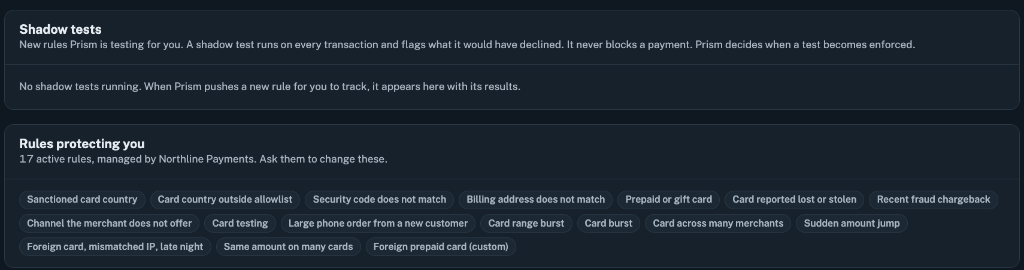
Start with the review queue. Open a declined payment, see which check drove the decision, and record whether the activity was fraudulent or legitimate. The rules view shows which policies and shadow tests apply to your business.
 Prism
Open demo
Prism gives merchants and payment operations teams the same view of transaction risk. See what drove a decision, investigate declines, and test rule changes before they affect payments.
Explore the simulatorEach payment follows the merchant’s risk policy. A hard block can end evaluation early. When a payment continues, Prism can assess its model score and behavioral signals before logging the decision.
Apply explicit policy checks first. A match, such as an address verification mismatch under the active policy, can decline a payment before scoring.
See a live transaction risk score for eligible merchant payments. The score adds context to the decision alongside policy and behavior checks.
Check activity across transactions. Card velocity and unusual changes in spend can add context that a single payment cannot provide.
Log the outcome and the path that led to it. Velocity counters update after Prism returns its decision.
Start with the review queue. Open a declined payment, see which check drove the decision, and record whether the activity was fraudulent or legitimate. The rules view shows which policies and shadow tests apply to your business.
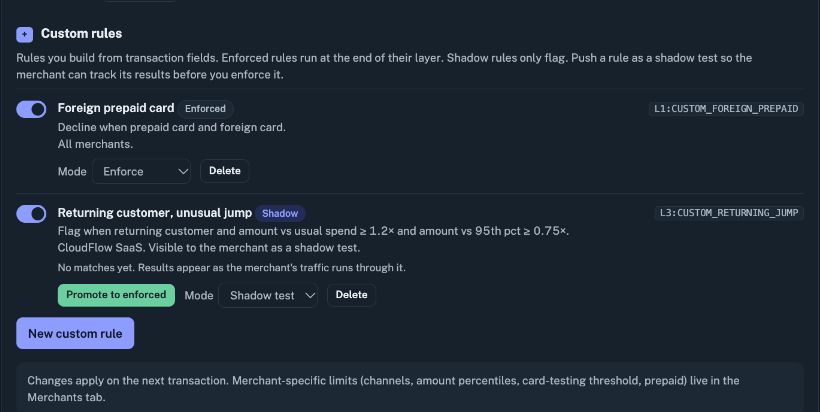
Manage merchant-level policy and settings. Create a rule, review which transactions it would flag in shadow mode, and choose when to promote it to enforcement.
Start with a merchant profile. Adjust traffic volume and the mix of simulated fraud, then introduce a preset scenario and inspect the decisions as they arrive.
Simulation uses generated transactions so you can see approvals, declines, false alarms, and shadow flags in a controlled scenario. Shadow testing evaluates a candidate rule against incoming transactions while the current policy continues to make live decisions.
Open the product demo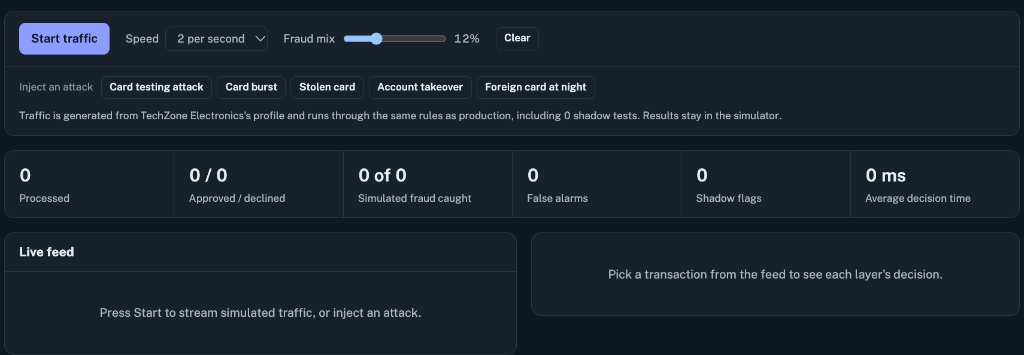
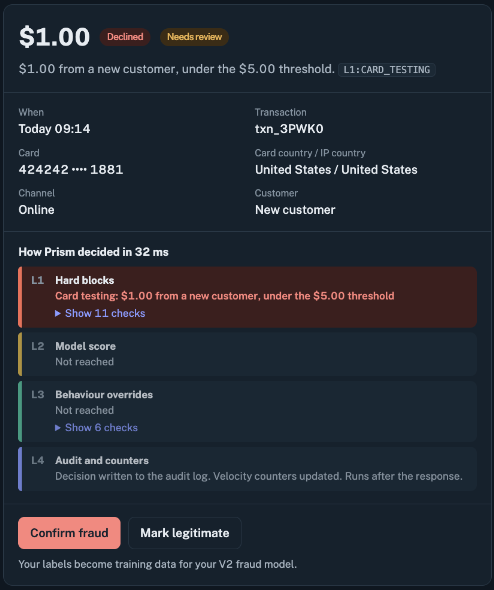
A decline has a decision path. Open the transaction to see the rule that matched, the layers that ran or were skipped, and the elapsed decision time. Then record the review outcome so it can inform future policy decisions.
Try the sample traceA shadow rule records a flag when it would match. The enforced policy still determines the payment outcome. Operations can review those flags before promoting the rule.
An enforced hard block can stop evaluation before model scoring. The decision trace shows the rule that matched and the layers Prism skipped.
Prism records the merchant’s review label alongside the transaction. The label becomes feedback for risk teams evaluating policy and model inputs.
Start with a declined payment in the Merchant console, then switch to Prism admin to see how rules are tested and enforced.